Describe a part. Get a working app. Get paid.
The Prompt Lab turns a sentence into a parametric model or a small web application: built in front of you, with its inputs to change, its drawing to download and its source to keep. It runs in a browser, open to anyone, with no account to make.
Everything made in the public lab is public the moment it is made. Good work there earns a private lab of your own, where what you build can carry a price and be sold from a page at an address of its own. Genworks earns a share of what you sell, not of what you build.
Three things made there
Each of these is a real session in the lab's public archive, built from the prompt shown. Open one to see the model drawn again, change its inputs, and read the source and the log.
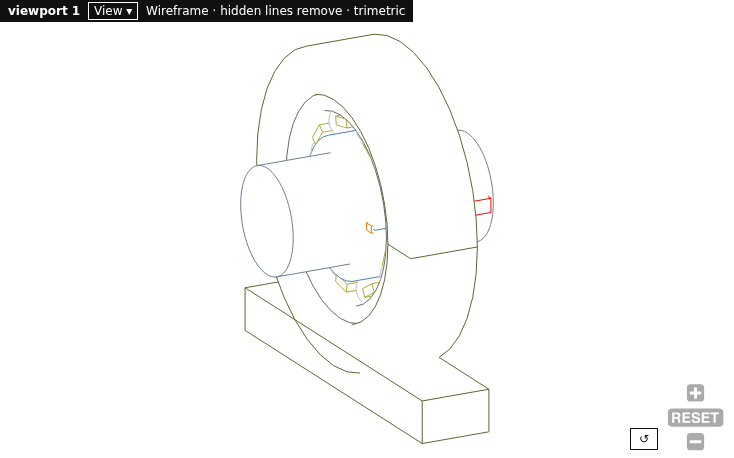
A geometry model, with its drawing
A single-row deep-groove ball bearing, size 6206, carrying a shaft.
One sentence; one build. The bearing came back as a parametric model with its bore, outer diameter and width as inputs, a four-view drawing as a PDF, and the source file to keep. In a private lab the STEP file of a model like this can carry a price.
Open the session →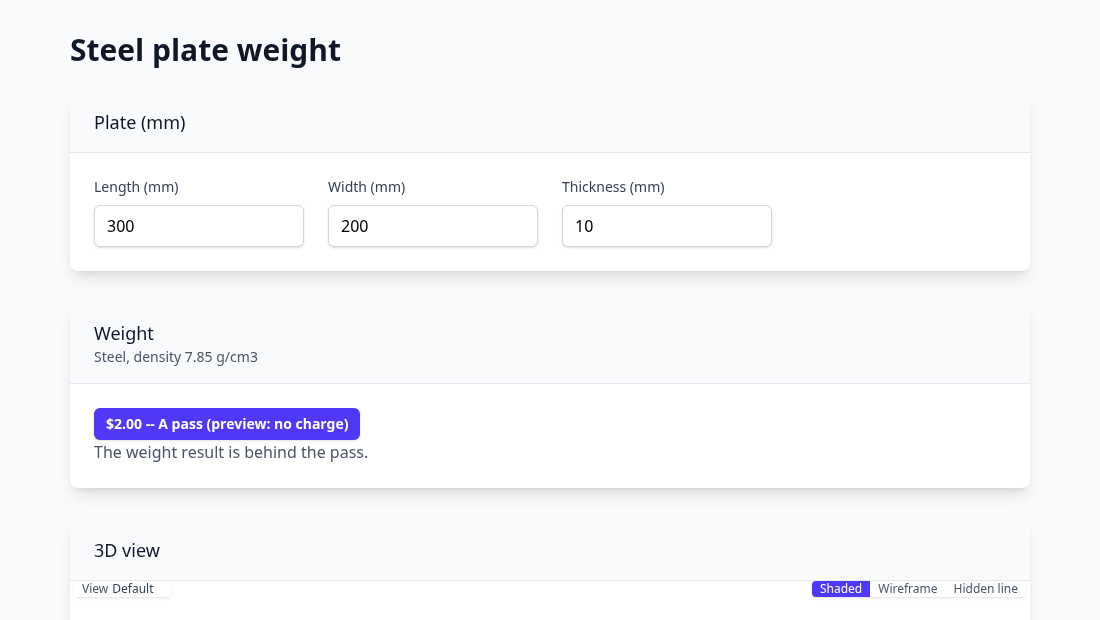
A web app that charges for its answer
A web app: a steel plate weight calculator. Inputs: length, width and thickness in mm. It shows the plate weight in kg, behind a $2.00 pass.
The lab wrote the page, its inputs and the tollbooth. From a private lab the same app deploys to an address of its own, the pass is paid by card, and the author's share is paid out through Stripe.
Open the session →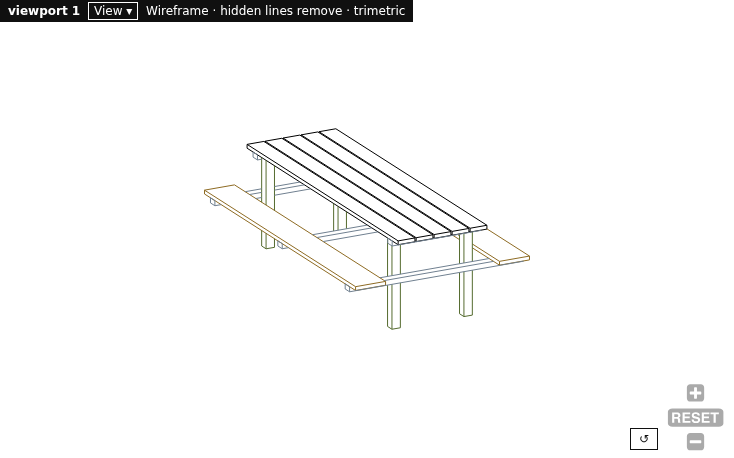
A model to take away
A simple picnic table: a top of five boards and two benches, all on four legs.
Two prompts, the second a change of length. The model file is a page of declarative source under the AGPL: copy it, run it on Gendl on your own machine, and keep going without the lab.
Open the session →How it works
1. Describe it
Say what the thing is, its sizes and what it has to do. A modeling agent builds it as a parametric model, or as a page with inputs and a result, and shows you each step.
2. Inspect and change it
Every input is a control beside the drawing. Change one and the model follows. Ask for more in a second prompt, or edit the source yourself and reload. Download the drawing as PDF, SVG or PNG; in the solids lab, STEP and IGES.
3. Keep it, or sell it
The source is yours to take away. Or, from a private lab, deploy it: a model with priced downloads, or an app with a tollbooth where you say one should stand, paid by card to your account.
From the public lab to a private one
The public lab is open to anyone and everything in it is public. A private, monetizable lab is earned by the work you do there.
- Visitor. Build in the public lab. Builds draw on a shared pot of modeling credits, called rivets, that Genworks keeps filled; the lab shows what is left.
- Author. Ask the lab for an author key, which keeps your sessions together as one public record. The key lives in your browser and can be carried by a link.
- Trusted. Each day a reviewer reads the new public work and recommends who climbs. Real models and apps, improved over several sessions, earn a maker grant of rivets and a private lab: your own sessions, in a machine of their own, with nothing public.
- Monetizing. Set up payouts through Stripe and deploy from your private lab. Your app or model answers at an address of its own; its users pay by card; the share you keep is paid out to you.
Development is not for sale here: the rivets you build with are granted on merit, never charged for. Genworks earns a monetization fee on what you sell and on hosting beyond a monthly allowance. The terms are on the authors' page.
Try it with a part you need
A bracket, a flange, a cabinet, a calculator for a quote. Describe it the way you would to a colleague. What comes back is yours.